
eResource Scheduler4.0.2 - Download
You'll be able to download in few seconds.
Publisher Description
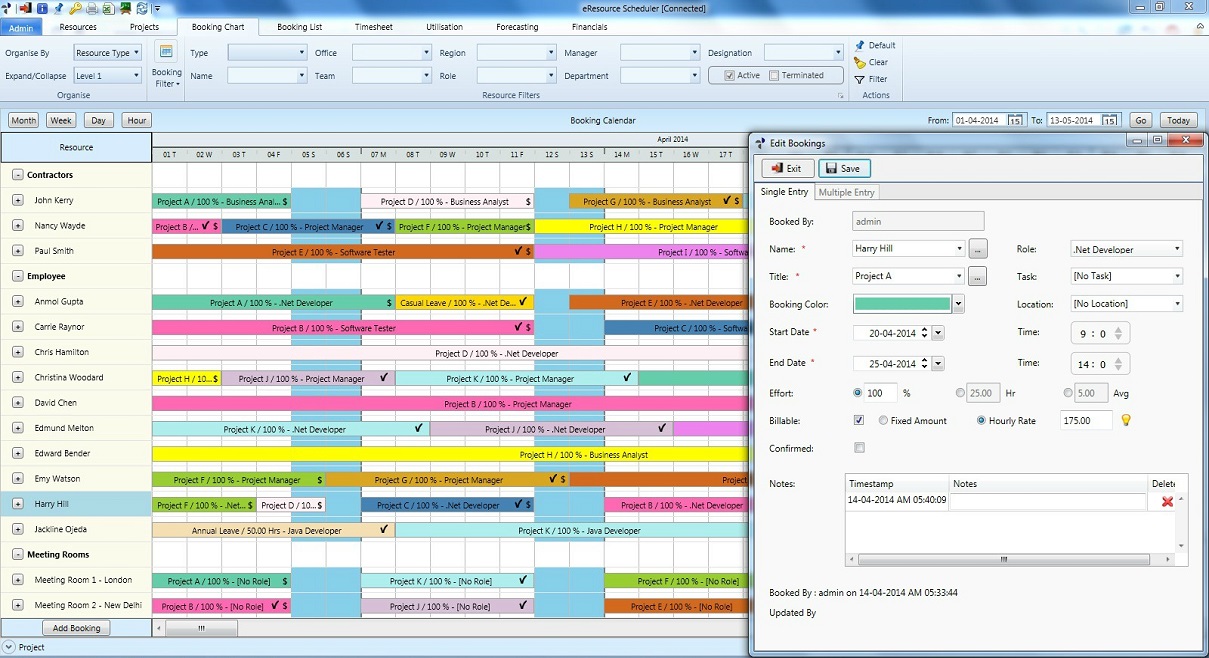
Enbrauns eResource Scheduler (eRS) is a collaborative, multi-user employee scheduling planning software. eResource Scheduler is specially designed and developed to enable organisations to efficiently schedule plan their resources on project / events / Jobs etc. Its client - server architecture allows multiple users to collaborate and share data in real-time. This provides real-time visibility of resources across the organisation, even if an organisation is spread across multiple cities or countries. eRS can be easily configured to schedule employees / staff or custom defined resources such as rooms, equipment, vehicles etc. In this process, eRS employee scheduler also maximises utilisation at all levels of the organisation. Ease of use and high level of configurability makes this resource scheduler popular among people who regularly schedule plan employees and other resources.
Main Features Include...
- Detailed Resource Profiling
- Project / Job / Event Profiling
- Drag drop scheduling.
- Timesheet
- Resource Utilisation Report
- Resource Forecasting Report
- Resource Financial Report
- User Access Rights
Ease of use and high level of configurability makes this resource scheduler popular among people who regularly schedule employees and other resources.
About eResource Scheduler
This program is available in English. It was last updated on 29 September, 2026. eResource Scheduler is compatible with the following operating systems: Windows.
The company that develops eResource Scheduler is ENBRAUN. The latest version released by its developer is 4.0.2.
The download we have available for eResource Scheduler has a file size of 350.2 MB. Just click the green Download button above to start the downloading process. The program is listed on our website since 2014-08-21 and was downloaded 0 times. We have already checked if the download link is safe, however for your own protection we recommend that you scan the downloaded software with your antivirus. Your antivirus may detect the eResource Scheduler as malware if the download link is broken.
How to install eResource Scheduler on your Windows device:
- Click on the Download button on our website. This will start the download from the website of the developer.
- Once the eResource Scheduler is downloaded click on it to start the setup process (assuming you are on a desktop computer).
- When the installation is finished you should be able to see and run the program.
Program Details
System requirements
Download information
Pricing
Version History
version 4.0.2
posted on 2014-08-21
Define Resource Requirements at project level,Send Consolidated email notifications,Gap Report to highlight resource gaps,Hyperlinks in notes section, Export Task to excel, Add Working Day Exception, Create 24 hour calendar
version 3.5.2
posted on 2011-09-05
MS Office DLL Updated
Disclaimer
External Download
We do not host eResource Scheduler on our servers. We did not scan it for viruses, adware, spyware or other type of malware. This app is hosted by the software publisher and passed their terms and conditions to be listed there. We recommend caution when installing it.
The external download link for eResource Scheduler is provided to you by apps112.com without any warranties, representations or guarantees of any kind, so access it at your own risk.
If you have questions regarding this particular app contact the publisher directly. For questions about the functionalities of apps112.com contact us.
